Návod Adler AD 7855 Ventilátor

Potrebujete príručku pre svoj Adler AD 7855 Ventilátor? Nižšie si môžete bezplatne prezrieť a stiahnuť príručku vo formáte PDF v slovenskom jazyku. Tento produkt má momentálne 2 často kladené otázky, 0 komentárov a má 0 hlasov. Ak toto nie je manuál, ktorý chcete, kontaktujte nás.

Je váš výrobok pokazený a nepodarilo sa vám problém odstrániť pomocou pokynov v návode? Prejdite na portál Repair Café, kde nájdete bezplatné servisné služby.

Návod

Loading…

4
r tank lock (13) and pull out a little the water tank (8) from the back of the device. Use the jug to pour clear, cold water, be careful not to
exceed the maximum level. You can pour water w/o pulling out the water tank completely. To remove water tank completely, first remove
the pump (11) by releasing thw two black brackets (15) and pull out the water tank (8). After water pouring, turn the water tank lock (13)
to horizontal position. Do not tilt the device after pouring the water to water tank. Do not remove water tank while the device is plug in
power supply.
3. Connect the plug to power supply, the device is in standby mode. The LCD display showing ambient room temperature is illuminated.
Now can be used control panel (2) or remote control (14) to operate the device (figure B).
15. Brackets
Turn on the device using the power button (A). The device starts working in middle speed. Press the button (A) again to switch it back to
standby mode.
B – speed button
1. Place the unit on a dry, flat surface.
4. The button (B) allows you to change the speed of the fan. The following speeds can be selected: fast, medium and slow. The
USING THE DEVICE
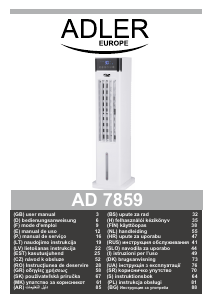
PRODUCT DESCRIPTION – TOWER AIR COOLER AD7855 – picture A
3. Air outlet 4. Base
Step 2: Align the four bolt holes of the assembled base (4) with the hull bolt posts and lock the fuselage and base with the 4 self-tapping
screws (Figure C2). At the same time, lock the two screws securing the base and place the product in the right direction.
7. Cover with net 8. Water tank
9. Power cord 10. Water level indicator
11. Pump 12. Plastic containers
13. Water tank lock 14. Remote control
A noticeable reduction in the temperature of the outlet air occurs after putting into the water tank (8) the plastic containers (12) attached
to the product. The plastic containers should be previously frozen in the freezer for few hours. It is recommended to fill the plastic
container (12) with cold tap water and do not exceed MAX level marked on the plastic container. The content of plastic container is
prohibited to edible. Keep away from children.
Remote control & Control panel – picture B
C – oscillation button
D – mode button
E – timer button F - wet cooling button
2. Rotate to flat position the watedrain
Step 1: First, insert the base's latch into the square hole (Figure C1).
5. Filter 6. Screw
1. Handle 2. Control panel
A – power button
• WARNING: When the water is not replaced and the tank is not properly cleaned every 3 days, microorganisms that may be present in
the water or in the environment where the device is used or stored may develop in the water tank and be blown out to the
surroundings. This can cause a very serious health risk.
DESCALING
4. Never leave water in the tank when the device is not in use.
1.Perform the descaling procedure in accordance with the instructions of the descaling agent specified by the manufacturer.
2.Use descaling agents intended for this purpose.
4. Descaling only the water tank with the device turned off
2. Do not get wet the device or wet the area around the device. If moisture appears, reduce the efficiency of the humidifying function.
3. Carry out the descaling procedure at least every 3 months.
21. Do not place any objects on the device.
BEFORE FIRST USE
3. Do not allow absorbent materials such as carpets, curtains, tablecloths to get wet.
22. The device can be used only with properly working ventilation.
23. To provide additional protection, it is advisable to install a residual current device (RCD)
in the electric circuit with a rated residual current not exceeding 30mA. Ask an
electrician for this.
ASSEMBLY
Before first use
1. It should be remembered that a high level of humidity may favor the development of biological organisms in the environment.
• WARNING: Every three days, empty the water tank and top up with clean water. Before refilling, clean the tank with fresh tap water or
using detergents. Remove any scale, deposits or film that has formed on the sides of the tank and on the interior surfaces. After
washing, wipe all surfaces dry.
Take the device out of the packaging. Assemble the base (4) in 2 steps (picture C):
5. During filling and cleaning, disconnect the device from the mains.
6. Clean the device and water tank before using it again.
Stiahnuť návod v slovenčine (PDF, 3.62 MB)
(Myslite ekologicky a návod si vytlačte, len ak je to naozaj potrebné)

Loading…

Hodnotenie

Dajte nám vedieť svoj názor na Adler AD 7855 Ventilátor a ohodnoťte výrobok. Chcete sa podeliť o svoje skúsenosti s týmto výrobkom alebo sa niečo spýtať? Napíšte komentár v spodnej časti stránky.
Ste spokojní s Adler AD 7855 Ventilátor?
Áno Žiadny
Ohodnoťte výrobok ako prvý
0 hlasy

Zapojte sa do diskusie o tomto výrobku

Tu sa môžete podeliť o to, čo si myslíte o Adler AD 7855 Ventilátor. Ak máte otázku, najprv si pozorne prečítajte návod. Vyžiadanie manuálu je možné vykonať pomocou nášho kontaktného formulára.

Viac o tomto návode

Chápeme, že je pekné mať k svojmu Adler AD 7855 Ventilátor papierovú príručku. Návod si môžete kedykoľvek stiahnuť z našej webovej stránky a vytlačiť si ho sami. Ak chcete mať originálnu príručku, odporúčame vám kontaktovať Adler. Mohli by byť schopní poskytnúť originálny návod. Hľadáte príručku k svojmu Adler AD 7855 Ventilátor v inom jazyku? Vyberte si preferovaný jazyk na našej domovskej stránke a vyhľadajte číslo modelu, aby ste zistili, či ho máme k dispozícii.

Technické údaje

Značka Adler
Model AD 7855
Kategória Ventilátory
Typ súboru PDF
Veľkosť súboru 3.62 MB

Všetky príručky pre Adler Ventilátory
Ďalšie príručky od Ventilátory

Často kladené otázky o Adler AD 7855 Ventilátor

Náš tím podpory vyhľadáva užitočné informácie o výrobkoch a odpovede na často kladené otázky. Ak nájdete v našich často kladených otázkach nejakú nezrovnalosť, dajte nám o tom vedieť pomocou nášho kontaktného formulára.

Ovplyvňuje ventilátor teplotu miestnosti? Overená

Nie, ventilátor iba pohybuje vzduchom a poskytuje tak pokožke chladivý efekt.

Bolo to užitočné (231) Čítaj viac

Aké je najlepšie miesto pre fanúšika? Overená

Ak existuje zdroj studeného vzduchu, napríklad klimatizácia, môžete ho pomocou ventilátora lepšie a ďalej distribuovať. Pokiaľ sa používa iba ventilátor, je najlepšie umiestniť ho do výšky. Hlava je jednou z častí tela, ktorá preniká najviac a pohybujúci sa vzduch pomáha odvádzať teplo. To poskytuje maximálny chladiaci efekt.

Bolo to užitočné (230) Čítaj viac
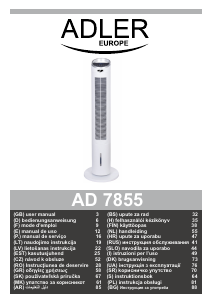
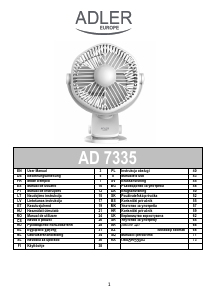
Návod Adler AD 7855 Ventilátor

Súvisiace produkty

Súvisiace kategórie

×
Download