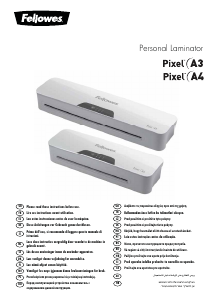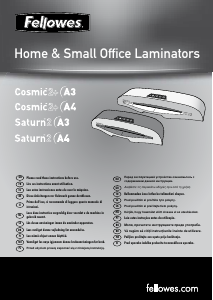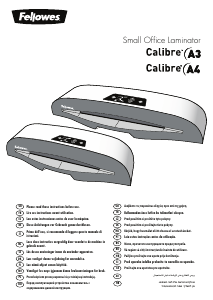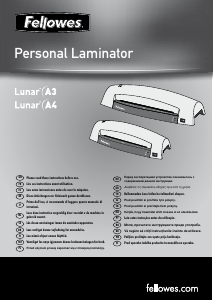
Návod Fellowes Cosmic 2 A3 Laminátor

Potrebujete príručku pre svoj Fellowes Cosmic 2 A3 Laminátor? Nižšie si môžete bezplatne prezrieť a stiahnuť príručku vo formáte PDF v slovenskom jazyku. Tento produkt má momentálne 0 často kladené otázky, 1 komentár a má 6 hlasov s priemerným hodnotením produktu 83/100. Ak toto nie je manuál, ktorý chcete, kontaktujte nás.

Je váš výrobok pokazený a nepodarilo sa vám problém odstrániť pomocou pokynov v návode? Prejdite na portál Repair Café, kde nájdete bezplatné servisné služby.

Návod

Loading…
5
Let our experts help you with a solution.
Customer Service...
www.fellowes.com
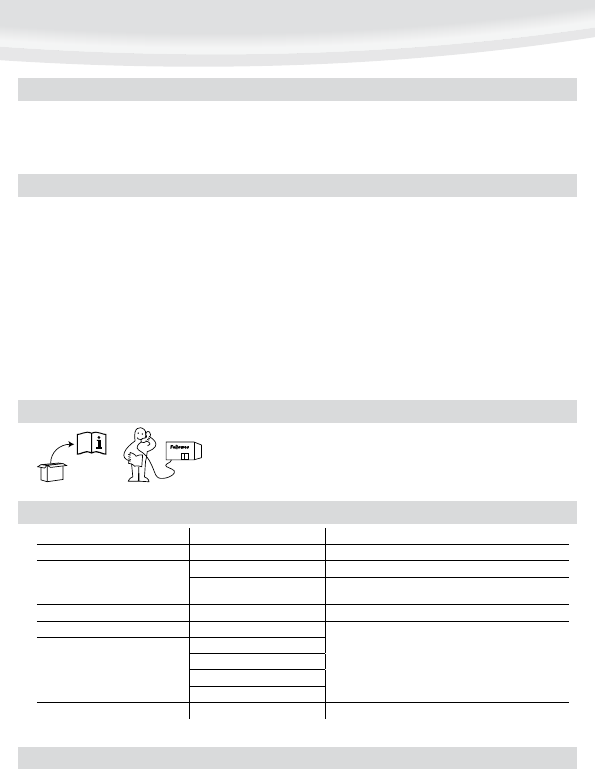
Always call Fellowes before contacting your place of purchase, see the rear cover for contact details.
NEED HELP?
Switch the power on (located at the rear of the machine).
The ‘Safe Start’ function will automatically select the cold setting.
For cold lamination, select the cold setting only.
For hot lamination, choose the pouch thickness setting as required. The ‘Wait’
symbol will flash during warm-up or cool-down periods.
When the machine is ready, the flashing ‘Wait’ symbol will stop flashing and
remain on. A signal will sound.
Place the document into the open pouch. Ensure the document is centred
against the sealed edge. Use the appropriate pouch size for the document.
Ensure the pouch enters the machine sealed edge first. Keep the pouch straight
and central within the slot, not on an angle. Use the entry markings as a
guide.
Upon exit, the laminated pouch may be hot and soft. To prevent jamming
remove the pouch immediately. Place pouch on to a flat surface to cool. Take
care when handling a hot pouch.
To release a pouch during lamination, activate the release lever located at the
rear of the machine. Gently pull pouch out of machine.
4.
5.
6.
7.
8.
9.
10.
11.
12.
Ensure the machine is on a stable surface.
Check there is enough clear space (min 50cm) behind the machine to allow
items to pass through freely.
Plug the machine into an easily accessible mains socket.
1.
2.
3.
SETTING UP THE LAMINATOR
HOW TO LAMINATE
Switch off the machine at the wall. Allow the machine to cool. The outside of the machine can be cleaned with a damp cloth. Do not use solvents or flammable materials to
polish the machine. Cleaning sheets can be used with the machine. When the machine is warm – run the sheets through the machine to clean any residue off the rollers. For
optimum performance, it is recommended that cleaning sheets are used with the machine regularly. (Cleaning sheet order codes #5320601)
Problem Possible cause Solution
No control panel illumination Machine not switched on Switch on machine at rear next to plug inlet and at the wall socket
Pouch does not completely seal the item
Item may be too thick to laminate Check pass through thickness is correctly selected and pass through again
Temperature setting may be incorrect Check pouch thickness is correctly selected and pass through again
Pouch has waves or bubbles Temperature setting may be incorrect Check pouch thickness is correctly selected and pass through again
Pouch is lost in the machine Pouch is jammed
Operate the release lever and pull out the item by hand
Jamming
Pouch was used ‘open end’ first
Pouch was not centred on entry
Pouch was not straight upon entry
Empty pouch was used
Pouch is damaged after lamination Damaged rollers or adhesive on rollers Pass cleaning sheets through the machine to test and clean rollers
TROUBLESHOOTING
Stiahnuť návod v slovenčine (PDF, 1.23 MB)
(Myslite ekologicky a návod si vytlačte, len ak je to naozaj potrebné)

Loading…

Hodnotenie

Dajte nám vedieť svoj názor na Fellowes Cosmic 2 A3 Laminátor a ohodnoťte výrobok. Chcete sa podeliť o svoje skúsenosti s týmto výrobkom alebo sa niečo spýtať? Napíšte komentár v spodnej časti stránky.
Ste spokojní s Fellowes Cosmic 2 A3 Laminátor?
Áno Žiadny
83%
17%
6 hlasy

Zapojte sa do diskusie o tomto výrobku

Tu sa môžete podeliť o to, čo si myslíte o Fellowes Cosmic 2 A3 Laminátor. Ak máte otázku, najprv si pozorne prečítajte návod. Vyžiadanie manuálu je možné vykonať pomocou nášho kontaktného formulára.

David Anthony Cox 21-12-2022
Tento stroj som nejaký čas nepoužíval a zdá sa mi nemožné otvoriť vrecko na vloženie dokumentu. Akékoľvek rady by boli ocenené!

odpovedať | Bolo to užitočné (0) (Preložené Googlom)

Viac o tomto návode

Chápeme, že je pekné mať k svojmu Fellowes Cosmic 2 A3 Laminátor papierovú príručku. Návod si môžete kedykoľvek stiahnuť z našej webovej stránky a vytlačiť si ho sami. Ak chcete mať originálnu príručku, odporúčame vám kontaktovať Fellowes. Mohli by byť schopní poskytnúť originálny návod. Hľadáte príručku k svojmu Fellowes Cosmic 2 A3 Laminátor v inom jazyku? Vyberte si preferovaný jazyk na našej domovskej stránke a vyhľadajte číslo modelu, aby ste zistili, či ho máme k dispozícii.

Technické údaje

Značka Fellowes
Model Cosmic 2 A3
Kategória Laminátory
Typ súboru PDF
Veľkosť súboru 1.23 MB

Všetky príručky pre Fellowes Laminátory
Ďalšie príručky od Laminátory
Návod Fellowes Cosmic 2 A3 Laminátor

Súvisiace produkty

Súvisiace kategórie

×
Download