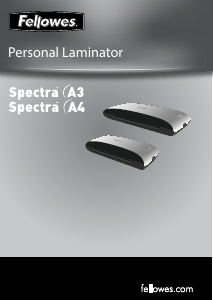
Návod Fellowes Spectra A4 Laminátor

Potrebujete príručku pre svoj Fellowes Spectra A4 Laminátor? Nižšie si môžete bezplatne prezrieť a stiahnuť príručku vo formáte PDF v slovenskom jazyku. Tento produkt má momentálne 0 často kladené otázky, 4 komentárov a má 4 hlasov s priemerným hodnotením produktu 25/100. Ak toto nie je manuál, ktorý chcete, kontaktujte nás.

Je váš výrobok pokazený a nepodarilo sa vám problém odstrániť pomocou pokynov v návode? Prejdite na portál Repair Café, kde nájdete bezplatné servisné služby.

Návod

Loading…
FEATURES & TIPS
‘Release’ function
To remove or re-align a pouch during
lamination, activate the release lever
located on the back of the machine. The
pouch can only be removed from the
entry slot when the lever is activated.
Auto Shut Off
After 30 minutes, the machine will
automatically go in to Auto Shut Off
mode. The Power LED will flash red for
5 minutes and then turn off. The ready
LED will turn off. To continue using the
machine press the ON/OFF switch. The
machine will reset itself.
• For best results, use Fellowes ® brand pouches:
80 - 125 micron.
• This machine does not need a carrier to laminate.
It is a carrier-free mechanism.
• Always put the item to be laminated into the ap-
propriate sized pouch.
• Always test laminate with a similar size and thick-
ness before final process.
• Prepare pouch and item for lamination. Place item
within pouch centred and touching the leading
sealed edge. Ensure the pouch is not too large for
the item.
• If required, trim excess material from around the
item after lamination and cooling.
5
SETTING UP THE LAMINATOR
Ensure the machine is on a stable surface.
Check there is enough clear space (min 50cm) behind
the machine to allow items to pass through freely.
Plug the machine into an easily accessible mains
socket.
HOW TO LAMINATE
Switch the power on (located at the side of the
machine).
The red ‘Power on’ lamp will light up. The machine is
now heating up.
When the machine is ready, the green ‘Ready’ lamp
will remain on.
Place the document into the open pouch. Ensure the
document is centred against the sealed edge. Use the
appropriate pouch size for the document.
Ensure the pouch enters the machine sealed edge
first. Keep the pouch straight and central within the
slot, not on an angle. Use the entry markings as a
guide.
Upon exit, the laminated pouch may be hot and soft.
To prevent jamming remove the pouch immediately.
Place pouch on to a flat surface to cool. Take care
when handling a hot pouch.
1.
2.
3.
4.
5.
6.
7.
8.
9.
NEED HELP?
Let our experts help you with a solution.
Customer Service... www.fellowes.com
Always call Fellowes before contacting your place of purchase, see the rear cover for contact details.
Consider registering your machine at www.fellowes.com/register to receive updates and additional information.
Auto
Shut
Off
Stiahnuť návod v slovenčine (PDF, 4.64 MB)
(Myslite ekologicky a návod si vytlačte, len ak je to naozaj potrebné)

Loading…

Hodnotenie

Dajte nám vedieť svoj názor na Fellowes Spectra A4 Laminátor a ohodnoťte výrobok. Chcete sa podeliť o svoje skúsenosti s týmto výrobkom alebo sa niečo spýtať? Napíšte komentár v spodnej časti stránky.
Ste spokojní s Fellowes Spectra A4 Laminátor?
Áno Žiadny
25%
75%
4 hlasy

Zapojte sa do diskusie o tomto výrobku

Tu sa môžete podeliť o to, čo si myslíte o Fellowes Spectra A4 Laminátor. Ak máte otázku, najprv si pozorne prečítajte návod. Vyžiadanie manuálu je možné vykonať pomocou nášho kontaktného formulára.

Anna 29-03-2020
Zakúpené na výrobu štítov proti striekaniu pre opatrovateľov (covid19). 125 listov ide veľmi dobre, ale 80 je "prepečených". Po celom hárku sú značky, takže cez to môžete vidieť! Ak by bol termostat na výber v závislosti od hrúbky plechu, bolo by to lepšie. Kamarát si kúpil jeden z Lidla za 20€ a funguje lepšie !!!

odpovedať | Bolo to užitočné (0) (Preložené Googlom)
M Joe 13-01-2023
Dobrý deň, mám plachtu zaseknutú úplne vo vnútri. Ako to prosím dostanem von?

odpovedať | Bolo to užitočné (0) (Preložené Googlom)
Peter Kelly 02-05-2024
Neužitočné. Zo začiatku tento málo používaný stroj vydáva zvuky brúsenia a dokument sa prestáva podávať. Tlačidlo „uvoľniť“ nefunguje a dokumenty sa musia ťahať cez laminátor. Nikdy sme nekúpili produkt Fellows, ktorý fungoval. VYHNÚŤ SA.

odpovedať | Bolo to užitočné (0) (Preložené Googlom)
eugenio aranda 23-04-2025
Potrebujem príručku, pretože sa neohrieva

odpovedať | Bolo to užitočné (0) (Preložené Googlom)

Viac o tomto návode

Chápeme, že je pekné mať k svojmu Fellowes Spectra A4 Laminátor papierovú príručku. Návod si môžete kedykoľvek stiahnuť z našej webovej stránky a vytlačiť si ho sami. Ak chcete mať originálnu príručku, odporúčame vám kontaktovať Fellowes. Mohli by byť schopní poskytnúť originálny návod. Hľadáte príručku k svojmu Fellowes Spectra A4 Laminátor v inom jazyku? Vyberte si preferovaný jazyk na našej domovskej stránke a vyhľadajte číslo modelu, aby ste zistili, či ho máme k dispozícii.

Technické údaje

Značka Fellowes
Model Spectra A4
Kategória Laminátory
Typ súboru PDF
Veľkosť súboru 4.64 MB

Všetky príručky pre Fellowes Laminátory
Ďalšie príručky od Laminátory
Návod Fellowes Spectra A4 Laminátor

Súvisiace produkty

Súvisiace kategórie

×
Download