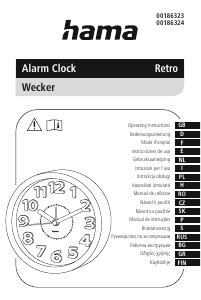
Návod Hama 00186322 RC660 Budík

Potrebujete príručku pre svoj Hama 00186322 RC660 Budík? Nižšie si môžete bezplatne prezrieť a stiahnuť príručku vo formáte PDF v slovenskom jazyku. Tento produkt má momentálne 0 často kladené otázky, 0 komentárov a má 0 hlasov. Ak toto nie je manuál, ktorý chcete, kontaktujte nás.

Je váš výrobok pokazený a nepodarilo sa vám problém odstrániť pomocou pokynov v návode? Prejdite na portál Repair Café, kde nájdete bezplatné servisné služby.

Návod

Loading…
6
5.3. Temperature display
Press the MIN/ DATE button (10) to
choose between °C and °F forthe
temperaturedisplay (6).
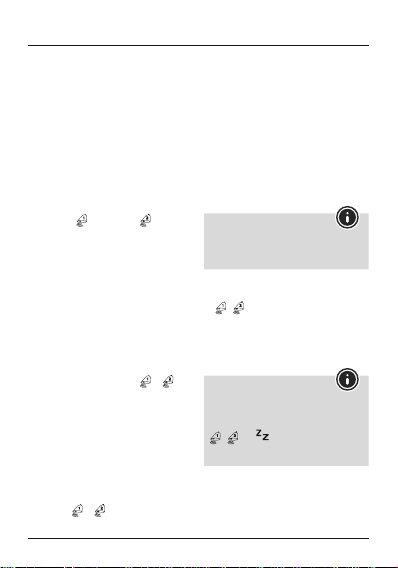
5.4. Alarm
Setting the alarm time
Move the LOCK slide switch(12) to the
ALARM SET position to manually set the
alarm time (2).
Repeatedly press the 12/24/YEAR
button (8) to set the time of alarm 1(2)
or alarm 2(2).
Either the
symbol or the symbol is
displayed accordingly.
Set the hour by pressing the HOUR/
MONTH button (9).
Set the minute by pressing the MIN/DATE
button (10).
If necessary,press the 12/24/YEAR button
(8) again to set the other alarm.
Move the LOCK slide switch (12) to the
LOCK position to save your settings and
return to normal mode.
Repeatedly press the HOUR/MONTH
button (9) to display the set time of alarm
1(2) or alarm 2(2).
The corresponding symbol (
or )is
displayed for about 10 seconds.
By default, in normal mode (LOCK)the
time for alarm 1(2) is displayed.
Activating/deactivating the alarm
Press the HOUR/MONTH button (9)
once or repeatedly and hold it for about
3seconds to enable or disable one of
the alarms.
If an alarm is activated, the corresponding
symbol (
or )isdisplayed.
Select alarm mode
Move the ALARM SELECT slide switch
(13) to the WORKING DAY position.
If alarm 1oralarm 2isactivated, the
weekday alarm only triggers an alarm on
weekdays(Monday to Friday). ALW (7)
appears on the display.
Move the ALARM SELECT slide switch
(13) to the NORMAL position.
If alarm 1oralarm 2isactivated, the
normal alarm triggers an alarm daily.The
display does not show any additional
indicator.
Note –Alarm mode
Selecting an alarm mode (WORKING
DAY or NORMAL)onlyhas an effect if an
alarm is enabled.
Alarm mode exit/snooze function
If the alarm is triggered, thealarm symbol
/ willbegin to ash andanalarm
willsound.
Press any button (except the SNOOZE/
LIGHT button (7)) to stop the alarm.
Otherwise, it willstop automatically after
2minutes.
Note –Snooze function
While the alarm signal is sounding, press
the SNOOZE/LIGHT button (7) to activate
the snooze function.The alarm symbol
/ and
will begin to ash.The
alarmsignal willbestopped for 5minutes,
after which it willsoundagain.
5.5. Backlight
If you press the SNOOZE/ LIGHT button
(7), the display willlightupfor approx.
10 seconds.
Stiahnuť návod v slovenčine (PDF, 1.03 MB)
(Myslite ekologicky a návod si vytlačte, len ak je to naozaj potrebné)

Loading…

Hodnotenie

Dajte nám vedieť svoj názor na Hama 00186322 RC660 Budík a ohodnoťte výrobok. Chcete sa podeliť o svoje skúsenosti s týmto výrobkom alebo sa niečo spýtať? Napíšte komentár v spodnej časti stránky.
Ste spokojní s Hama 00186322 RC660 Budík?
Áno Žiadny
Ohodnoťte výrobok ako prvý
0 hlasy

Zapojte sa do diskusie o tomto výrobku

Tu sa môžete podeliť o to, čo si myslíte o Hama 00186322 RC660 Budík. Ak máte otázku, najprv si pozorne prečítajte návod. Vyžiadanie manuálu je možné vykonať pomocou nášho kontaktného formulára.

Viac o tomto návode

Chápeme, že je pekné mať k svojmu Hama 00186322 RC660 Budík papierovú príručku. Návod si môžete kedykoľvek stiahnuť z našej webovej stránky a vytlačiť si ho sami. Ak chcete mať originálnu príručku, odporúčame vám kontaktovať Hama. Mohli by byť schopní poskytnúť originálny návod. Hľadáte príručku k svojmu Hama 00186322 RC660 Budík v inom jazyku? Vyberte si preferovaný jazyk na našej domovskej stránke a vyhľadajte číslo modelu, aby ste zistili, či ho máme k dispozícii.

Technické údaje

Značka Hama
Model 00186322 RC660
Kategória Budíky
Typ súboru PDF
Veľkosť súboru 1.03 MB

Všetky príručky pre Hama Budíky
Ďalšie príručky od Budíky

Návod Hama 00186322 RC660 Budík

Súvisiace produkty

Súvisiace kategórie

×
Download