5
• To set alarm 2, press A
4
for 2 seconds a second
time.
• To set the current time press A
4
for 2 seconds a
third time.
4
The time and the corresponding alarm indicator
on the display start ashing.
2. Press the – button A1 and + button A
2
to set
the minutes.
3. Press A
4
again to conrm the minutes.
4. Press A1 and A
2
to set the hours.
5. Press the alarm / light button A
3
to save the
alarm.
4
If no input is given for 5 seconds the settings will
automatically be saved.
Setting display brightness
Press A1 or A2 to change the display brightness.
Using the alarms
Long press A3 multiple times to activate and
deactivate the alarms.
The alarm indicators A
9q indicate the active
alarm(s).
Snoozing and switching o the alarm
4
The alarm rings 3 times for 30 seconds with 10
second breaks.
Press any button on the product to switch of the
alarm.
Tap anywhere on the product to snooze the alarm.
A
9 or Aq ashes to indicate the alarm is
snoozed.
Wireless charging
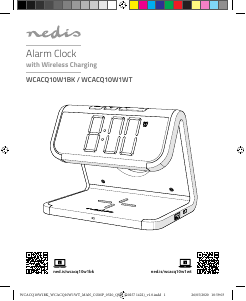
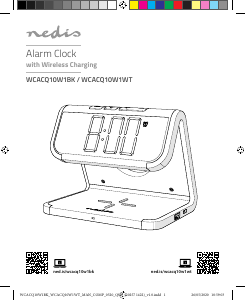
Place your QI-compatible device on the wireless
charging area A
5.
A
6 switches on.
A
6 switches o when the battery is fully charged.
-
Do not place foreign materials, such as metal
objects, magnets, and magnetic stripe cards
such as debit- or credit cards, between your
device and the wireless charger. The device may
not charge properly or may be damaged due to
overheating.
-
If a foreign object is detected, A
6
will blink
continuously and wireless charging is disabled.
with copious amounts of water and seek medical
advice.
• Always purchase the battery recommended by
the product manufacturer for the product.
• Do not remove a cell or battery from its original
packaging until required for use.
• Do not use any cell or battery which is not
designed for use with the equipment.
• Use only the cell or battery in the application for
which it was intended.
• Wipe the cell or battery terminals with a clean
dry cloth if they become dirty.
• When possible, remove the battery from the
product when not in use.
• Properly dispose of the empty battery.
• Seek medical advice immediately if a cell or a
battery has been swallowed.
• Always keep button cell batteries, both full and
empty, out of reach of children to avoid the
chance of swallowing. Dispose of used batteries
immediately and safely. Button cell batteries can
cause serious internal chemical burns in as little
as two hours when swallowed. Keep in mind that
the rst symptoms may look like child diseases
like coughing or drooling. Seek immediate
medical attention when you suspect that
batteries have been swallowed.
Connecting to a power supply
Connect the power cable to A
8 and a USB adapter.
Connect the USB adapter to a power outlet.
The indicator LED A
6 blinks twice to indicate
start up.
Replacing the battery (image B)
4
The battery is only used for memorizing the time,
alarm and radio settings during a sudden loss of
power. Keep the power supply connected to use
the product.
Setting the time mode
Double press the menu button A
4 to switch
between 12-hour and 24-hour time indication.
Setting up an alarm / Setting the time
1. Press and hold A
4
for 2 seconds to edit the
alarm time.
WCACQ10W1BK_WCACQ10W1WT_MAN_COMP_0520_QSG_(20257 1422)_v1.0.indd 5 26/05/2020 10:59:04



Zapojte sa do diskusie o tomto výrobku
Tu sa môžete podeliť o to, čo si myslíte o Nedis WCACQ10W1BK Budík. Ak máte otázku, najprv si pozorne prečítajte návod. Vyžiadanie manuálu je možné vykonať pomocou nášho kontaktného formulára.
odpovedať | Bolo to užitočné (18) (Preložené Googlom)
odpovedať | Bolo to užitočné (3) (Preložené Googlom)
odpovedať | Bolo to užitočné (2) (Preložené Googlom)
odpovedať | Bolo to užitočné (1) (Preložené Googlom)
odpovedať | Bolo to užitočné (1) (Preložené Googlom)
odpovedať | Bolo to užitočné (0) (Preložené Googlom)