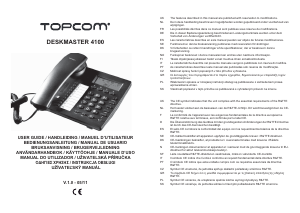
Návod Topcom Deskmaster 4100 Telefón

Potrebujete príručku pre svoj Topcom Deskmaster 4100 Telefón? Nižšie si môžete bezplatne prezrieť a stiahnuť príručku vo formáte PDF v slovenskom jazyku. Tento produkt má momentálne 0 často kladené otázky, 0 komentárov a má 0 hlasov. Ak toto nie je manuál, ktorý chcete, kontaktujte nás.

Je váš výrobok pokazený a nepodarilo sa vám problém odstrániť pomocou pokynov v návode? Prejdite na portál Repair Café, kde nájdete bezplatné servisné služby.

Návod

Loading…
4 Topcom Deskmaster 4100
Topcom Deskmaster 4100
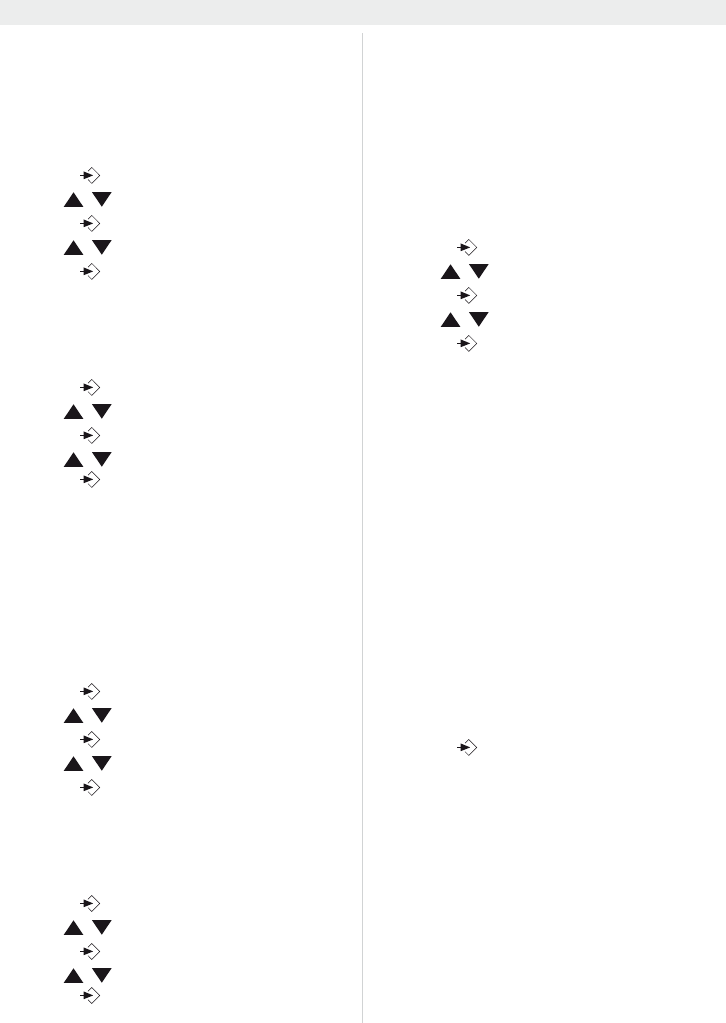
6.2 Set the area code
When you have a subscription to the caller ID
service it can be necessary in some countries to
enter your area code. When the telephone re-
ceives a caller ID it will remove the entered area
code from the incoming number.
Press to enter the menu
Use / to select “
6(7&RG(
Press to enter the area code settings
Use / to change
Press to move to the next digit.
6.3 Set the LCD contrast
There are 8 levels of LCD contrast (0..7). Choose
the most convenient level.
Press to enter the menu
Use / to select “
6(7/FG
Press to enter the LCD contrast settings
Use / to select the level
Press to confirm
You can also access the LCD-contrast settings,
just by pressing the R/LCD key
6.4 Set the PBX code
When your phone is connected to a PBX system
you can enter the PBX line access code.
The line access code will be added when dialling
out a number from the caller ID list.
Press to enter the menu
Use / to select “SET 4 PcodE”
Press to enter the settings
Use / to change select the digit
Press to move to the next digit
6.5 Select PULSE or TONE dialling
By default, the telephone is set for Tone dialling
(DTMF). Some old lines require pulse dialling.
Press to enter the menu
Use / to select “
6(73W
Press to enter the Pulse/Tone settings
Use / to select ‘toNE’ or ‘PULSE’
Press to confirm
6.6 Set the flash time
The R/LCD-key (flash) is used for services like
“Call waiting” (if this service is provided by your
telephone company) or to transfer calls when the
telephone is connected to a PBX-system.
Depending on the country, this flash-time can be
different.
The telephone supports 4 possibilities : 100, 300,
600 and 1000 msec.
Press to enter the menu
Use / to select “SET 6 FLASH”
Press to enter the FLASH settings
Use / to select your flash-time
Press to confirm
6.7 Ringer volume
At the back panel of the telephone you find a
switch that can be set in three positions : off, low
and high.
Choose the most comfortable volume setting
6.8 Anti-dialling from parallel line
You can prevent that other telephones, connected
to your line, can make a call.
When this function is activated you will be alarmed
when someone tries to make a call with another
telephone connected to your line.
Press and hold # for three seconds
“SPI oFF” appears
Press # again to activate “SPI on”
Press to confirm
Follow the same procedure to deactivate this
function (“SPI oFF”)
Stiahnuť návod v slovenčine (PDF, 0.48 MB)
(Myslite ekologicky a návod si vytlačte, len ak je to naozaj potrebné)

Loading…

Hodnotenie

Dajte nám vedieť svoj názor na Topcom Deskmaster 4100 Telefón a ohodnoťte výrobok. Chcete sa podeliť o svoje skúsenosti s týmto výrobkom alebo sa niečo spýtať? Napíšte komentár v spodnej časti stránky.
Ste spokojní s Topcom Deskmaster 4100 Telefón?
Áno Žiadny
Ohodnoťte výrobok ako prvý
0 hlasy

Zapojte sa do diskusie o tomto výrobku

Tu sa môžete podeliť o to, čo si myslíte o Topcom Deskmaster 4100 Telefón. Ak máte otázku, najprv si pozorne prečítajte návod. Vyžiadanie manuálu je možné vykonať pomocou nášho kontaktného formulára.

Viac o tomto návode

Chápeme, že je pekné mať k svojmu Topcom Deskmaster 4100 Telefón papierovú príručku. Návod si môžete kedykoľvek stiahnuť z našej webovej stránky a vytlačiť si ho sami. Ak chcete mať originálnu príručku, odporúčame vám kontaktovať Topcom. Mohli by byť schopní poskytnúť originálny návod. Hľadáte príručku k svojmu Topcom Deskmaster 4100 Telefón v inom jazyku? Vyberte si preferovaný jazyk na našej domovskej stránke a vyhľadajte číslo modelu, aby ste zistili, či ho máme k dispozícii.

Technické údaje

Značka Topcom
Model Deskmaster 4100
Kategória Telefóny
Typ súboru PDF
Veľkosť súboru 0.48 MB

Všetky príručky pre Topcom Telefóny
Ďalšie príručky od Telefóny
Návod Topcom Deskmaster 4100 Telefón

Súvisiace produkty

Súvisiace kategórie

×
Download