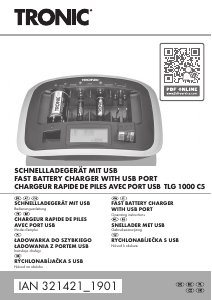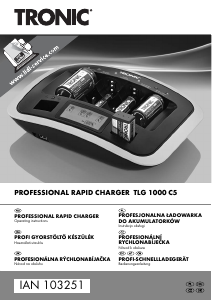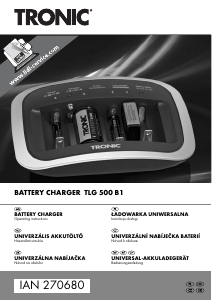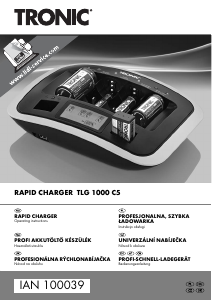
Návod Tronic TLGL 1000 A1 Nabíjačka batérií

Potrebujete príručku pre svoj Tronic TLGL 1000 A1 Nabíjačka batérií? Nižšie si môžete bezplatne prezrieť a stiahnuť príručku vo formáte PDF v slovenskom jazyku. Tento produkt má momentálne 0 často kladené otázky, 0 komentárov a má 2 hlasov s priemerným hodnotením produktu 100/100. Ak toto nie je manuál, ktorý chcete, kontaktujte nás.

Je váš výrobok pokazený a nepodarilo sa vám problém odstrániť pomocou pokynov v návode? Prejdite na portál Repair Café, kde nájdete bezplatné servisné služby.

Návod

Loading…
TRONIC TLGL 1000 A1
English - 7
Getting started
Powering the charger on/off
Position the charger on a stable, flat surface and do not place any objects on the charger. Plug the
mains plug into an easily accessible mains socket.
Each of the LED status indicators (6) flashes red/green once and the display (1) flashes once. After
this, the charger is ready for use. You can charge NiMH, NiCd, Li-Ion batteries and one device
connected to the USB port (3) at the same time.
To switch the charger off, unplug the mains plug from the wall socket.
LED status indicators
The charger has LED status indicators (6) for each battery. The LED status indicators (6) have the
following meanings:
Status Description
flashes, alternating red/green Battery is being refreshed (Refresh function)
flashes, green A deeply discharged battery is being precharged
on, red Charging battery
on, green Battery is fully charged
flashes, red Battery is defective
Charging NiMH/NiCd batteries
After you have connected the charger to the mains, you can insert NiMH/NiCd batteries into the
charging slots (5) to charge them.
You can charge 1 to 6 NiMH/NiCd batteries as follows:
6x AA- or AAA-sized / two NiMH/NiCd batteries each in the charging slots (5) A and D plus
one NiMH/NiCd battery each in the charging slots (5) B and C.
4x C- or D-type / one NiMH/NiCd battery each in the charging slots (5) A, B, C and D
The charging process starts immediately after inserting the NiMH/NiCd batteries. The LED status
indicators (6) show the current status and the display (1) the current charging status.
Charging Li-Ion batteries
After you have connected the charger to the mains, you can charge a Li-Ion battery. Proceed as
follows:
First align the charging contacts for Li-Ion batteries (2) to the position of the positive (+) and
negative (-) Li-Ion battery poles by moving the charging contacts for Li-Ion batteries (2). The
polarity and voltage of Li-Ion batteries are detected automatically.
Stiahnuť návod v slovenčine (PDF, 1.76 MB)
(Myslite ekologicky a návod si vytlačte, len ak je to naozaj potrebné)

Loading…

Hodnotenie

Dajte nám vedieť svoj názor na Tronic TLGL 1000 A1 Nabíjačka batérií a ohodnoťte výrobok. Chcete sa podeliť o svoje skúsenosti s týmto výrobkom alebo sa niečo spýtať? Napíšte komentár v spodnej časti stránky.
Ste spokojní s Tronic TLGL 1000 A1 Nabíjačka batérií?
Áno Žiadny
100%
0%
2 hlasy

Zapojte sa do diskusie o tomto výrobku

Tu sa môžete podeliť o to, čo si myslíte o Tronic TLGL 1000 A1 Nabíjačka batérií. Ak máte otázku, najprv si pozorne prečítajte návod. Vyžiadanie manuálu je možné vykonať pomocou nášho kontaktného formulára.

Viac o tomto návode

Chápeme, že je pekné mať k svojmu Tronic TLGL 1000 A1 Nabíjačka batérií papierovú príručku. Návod si môžete kedykoľvek stiahnuť z našej webovej stránky a vytlačiť si ho sami. Ak chcete mať originálnu príručku, odporúčame vám kontaktovať Tronic. Mohli by byť schopní poskytnúť originálny návod. Hľadáte príručku k svojmu Tronic TLGL 1000 A1 Nabíjačka batérií v inom jazyku? Vyberte si preferovaný jazyk na našej domovskej stránke a vyhľadajte číslo modelu, aby ste zistili, či ho máme k dispozícii.

Technické údaje

Značka Tronic
Model TLGL 1000 A1
Kategória Nabíjačky batérií
Typ súboru PDF
Veľkosť súboru 1.76 MB

Všetky príručky pre Tronic Nabíjačky batérií
Ďalšie príručky od Nabíjačky batérií
Návod Tronic TLGL 1000 A1 Nabíjačka batérií

Súvisiace produkty

Súvisiace kategórie

×
Download