
Návod Trust 17939 eBrush Grafický tablet

Potrebujete príručku pre svoj Trust 17939 eBrush Grafický tablet? Nižšie si môžete bezplatne prezrieť a stiahnuť príručku vo formáte PDF v slovenskom jazyku. Tento produkt má momentálne 0 často kladené otázky, 0 komentárov a má 0 hlasov. Ak toto nie je manuál, ktorý chcete, kontaktujte nás.

Je váš výrobok pokazený a nepodarilo sa vám problém odstrániť pomocou pokynov v návode? Prejdite na portál Repair Café, kde nájdete bezplatné servisné služby.

Návod

Loading…

Tablet – User’s Manual
3
Draw (Draw)
Open a drawing program (For example, Artweaver is available on the Trust CD-ROM: select “Install
A
rtWeaver” from the menu to install it.)
Create a new document (File > New)
Set the attributes of your new document, press OK
Select a tool that supports Pen Pressure Sensitivity (Ex: in Artweaver: default brush)
With the pen’s pressure levels, you can use your brush the way you would use a real pencil and draw the
thickness and opacity you desire.
The pen can detect 2048 levels of pressure, and use the variation in levels to automatically change the size, the
color, or various settings of the tool you are currently using.
This allows for flexibility and gives a very intuitive feeling to your graphic work.
Move the pen in the tablet’s working area: the cursor will follow the movements. Hovering the pen tip at
about 5 mm from the surface will allow you to move the cursor on your screen. When you touch the
tablet’s surface, your brush will start drawing on the new document.
The color panel allows you to select different colors.
By default in most drawing programs, the color your brush is applying is black. Depending on the pressure you
exert with the pen on the tablet’s surface, your brush will paint in nuances going from white (no pressure) to
black (full pressure).
Write (Write)
Open the Input Panel (tap the docked input panel (
), on the side of the screen, or tap the text input
floating bar
).
Your handwriting will be converted into text ( ). You can correct, erase or modify the proposed
conversion.
Then click or tap Insert to have the text you handwrote entered into the active document / text input
field.
Handwriting recognition is a feature of Windows Vista and Windows 7 that converts what you write into text you
can then format like any other text. The Handwriting Input Panel appears automatically when you start using
the tablet. If it does not show, or only appears as a virtual keyboard, please consult trust.com/17939/FAQ.
A
fter installing and connecting your tablet, the handwriting feature of Live Messenger is activated.
It can be accessed, while in Live conversation, by clicking the corresponding button: ( )
You can then draw and send messages in your own handwriting, and use the six formatting buttons
that appear in the conversation window to personalize your messages.
To send handwritten messages you must have Windows 7, Windows Vista, or Windows XP with Service Pack 3
or later installed. The latest version of Live Messenger is also required.
Stiahnuť návod v slovenčine (PDF, 5.09 MB)
(Myslite ekologicky a návod si vytlačte, len ak je to naozaj potrebné)

Loading…

Hodnotenie

Dajte nám vedieť svoj názor na Trust 17939 eBrush Grafický tablet a ohodnoťte výrobok. Chcete sa podeliť o svoje skúsenosti s týmto výrobkom alebo sa niečo spýtať? Napíšte komentár v spodnej časti stránky.
Ste spokojní s Trust 17939 eBrush Grafický tablet?
Áno Žiadny
Ohodnoťte výrobok ako prvý
0 hlasy

Zapojte sa do diskusie o tomto výrobku

Tu sa môžete podeliť o to, čo si myslíte o Trust 17939 eBrush Grafický tablet. Ak máte otázku, najprv si pozorne prečítajte návod. Vyžiadanie manuálu je možné vykonať pomocou nášho kontaktného formulára.

Viac o tomto návode

Chápeme, že je pekné mať k svojmu Trust 17939 eBrush Grafický tablet papierovú príručku. Návod si môžete kedykoľvek stiahnuť z našej webovej stránky a vytlačiť si ho sami. Ak chcete mať originálnu príručku, odporúčame vám kontaktovať Trust. Mohli by byť schopní poskytnúť originálny návod. Hľadáte príručku k svojmu Trust 17939 eBrush Grafický tablet v inom jazyku? Vyberte si preferovaný jazyk na našej domovskej stránke a vyhľadajte číslo modelu, aby ste zistili, či ho máme k dispozícii.

Technické údaje

Značka Trust
Model 17939 eBrush
Kategória Grafické tablety
Typ súboru PDF
Veľkosť súboru 5.09 MB

Všetky príručky pre Trust Grafické tablety
Ďalšie príručky od Grafické tablety
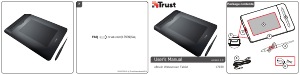
Návod Trust 17939 eBrush Grafický tablet
×
Download