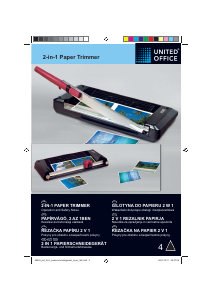
Návod United Office IAN 69355 Rezačka na papier

Potrebujete príručku pre svoj United Office IAN 69355 Rezačka na papier? Nižšie si môžete bezplatne prezrieť a stiahnuť príručku vo formáte PDF v slovenskom jazyku. Tento produkt má momentálne 0 často kladené otázky, 0 komentárov a má 0 hlasov. Ak toto nie je manuál, ktorý chcete, kontaktujte nás.

Je váš výrobok pokazený a nepodarilo sa vám problém odstrániť pomocou pokynov v návode? Prejdite na portál Repair Café, kde nájdete bezplatné servisné služby.

Návod

Loading…

7
Trimmer
Place the cutting unit on a stable, level 1.
base with the guillotine side facing up.
The guillotine arm is locked at the 2.
bottom edge of the cutting unit. To unlock
the guillotine arm, pull the locking latch
out a little (Fig. 1, A) and slide it towards
the front to Position B (Fig. 1).
Move the guillotine arm upwards.3.
Place the material to be cut in the 4.
required position under the pressing rail
and press the pressing rail down (Fig. 2).
Then use your other hand to move the 5.
guillotine arm down and cut the
document (Fig. 2).
In order to lock the guillotine arm again 6.
after finishing your work, move the
guillotine arm down as far as possible,
pull the locking latch at Position B out a
little and slide it back to Position A (Fig. 3).
Cutting functions:
Straight cut 1.
Cutting capacity: max. 10 sheets
(80 g / m²)
Perforation 2.
Cutting capacity: max. 3 sheets
(80 g / m²)
Wave cut 3.
Cutting capacity: max. 3 sheets
(80 g / m²)
The blades are accommodated in a
protected housing.
Place the cutting unit on a stable, level 1.
base with the trimmer side facing up.
Slide the cutting head to one side of the 2.
guide rail.
If you turn the left and right rotary knobs 3.
in the OPEN direction, the guide rail will
lift upwards. Place the material to be
cut under the guide rail. Now turn the
rotary knobs in the LOCK direction. The
material is fastened and you can now
cut.
Note: Hold the material to be cut
Selecting the type of cut
Replacing the blade
The trimmer has various types of cut
available for selection: straight cut,
perforation cut and wave cut. Select the
type of cut you require.
Slide the lock for the trimmer’s rotary cut 1.
selector upwards (Fig. 5).
Turn the selector knob until the symbol 2.
representing the required type of cut is
under the lock (Fig. 5).
Press the lock for the trimmer’s rotary 3.
cut selector downwards (Fig. 5).
The blade has four cutting edges (two on
each side).When the quality of the cut is no
longer clean, turn the blade so that one of
the unused cutting edges will be used:
Slide the trimmer to one end of the guide 1.
rail.
Remove the blade out of the slot from 2.
the other side of the guide rail. Recesses
are provided for this at both sides of the
guide rail (Fig. 6).
Turn the blade so that a cutting edge 3.
which has still not been used is set to the
working position and replace the blade
back in the slot. When all four cutting
edges of the blade are worn, replace the
blade.
Trimmer with integrated cut selector
switch and setting lock
securely, otherwise it could shift and
be cut inaccurately. The raster and
measuring system on the trimmer’s
working surface serve as positioning
aids.
To complete the cut, press the cutting 4.
head down and slide it along the guide
rail to the other side (Fig. 4).
Note: To prevent a faulty cutting edge,
do not run the cutting head back again
but remove the cut material directly after
completing the cut.
GB
69355_uof_2in1_papierschneidegeraet_content_lb4.indd 7 26.07.2011 14:40:39
Stiahnuť návod v slovenčine (PDF, 1.22 MB)
(Myslite ekologicky a návod si vytlačte, len ak je to naozaj potrebné)

Loading…

Hodnotenie

Dajte nám vedieť svoj názor na United Office IAN 69355 Rezačka na papier a ohodnoťte výrobok. Chcete sa podeliť o svoje skúsenosti s týmto výrobkom alebo sa niečo spýtať? Napíšte komentár v spodnej časti stránky.
Ste spokojní s United Office IAN 69355 Rezačka na papier?
Áno Žiadny
Ohodnoťte výrobok ako prvý
0 hlasy

Zapojte sa do diskusie o tomto výrobku

Tu sa môžete podeliť o to, čo si myslíte o United Office IAN 69355 Rezačka na papier. Ak máte otázku, najprv si pozorne prečítajte návod. Vyžiadanie manuálu je možné vykonať pomocou nášho kontaktného formulára.

Viac o tomto návode

Chápeme, že je pekné mať k svojmu United Office IAN 69355 Rezačka na papier papierovú príručku. Návod si môžete kedykoľvek stiahnuť z našej webovej stránky a vytlačiť si ho sami. Ak chcete mať originálnu príručku, odporúčame vám kontaktovať United Office. Mohli by byť schopní poskytnúť originálny návod. Hľadáte príručku k svojmu United Office IAN 69355 Rezačka na papier v inom jazyku? Vyberte si preferovaný jazyk na našej domovskej stránke a vyhľadajte číslo modelu, aby ste zistili, či ho máme k dispozícii.

Technické údaje

Značka United Office
Model IAN 69355
Kategória Rezačky na papier
Typ súboru PDF
Veľkosť súboru 1.22 MB

Všetky príručky pre United Office Rezačky na papier
Ďalšie príručky od Rezačky na papier
Návod United Office IAN 69355 Rezačka na papier

Súvisiace produkty

Súvisiace kategórie

×
Download