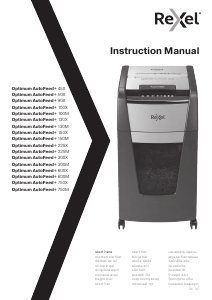
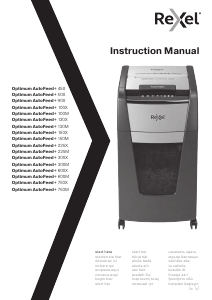
Návod Rexel Optimum AutoFeed+ 45X Skartovací stroj

Potrebujete príručku pre svoj Rexel Optimum AutoFeed+ 45X Skartovací stroj? Nižšie si môžete bezplatne prezrieť a stiahnuť príručku vo formáte PDF v slovenskom jazyku. Tento produkt má momentálne 2 často kladené otázky, 0 komentárov a má 0 hlasov. Ak toto nie je manuál, ktorý chcete, kontaktujte nás.

Je váš výrobok pokazený a nepodarilo sa vám problém odstrániť pomocou pokynov v návode? Prejdite na portál Repair Café, kde nájdete bezplatné servisné služby.

Návod

Loading…
555
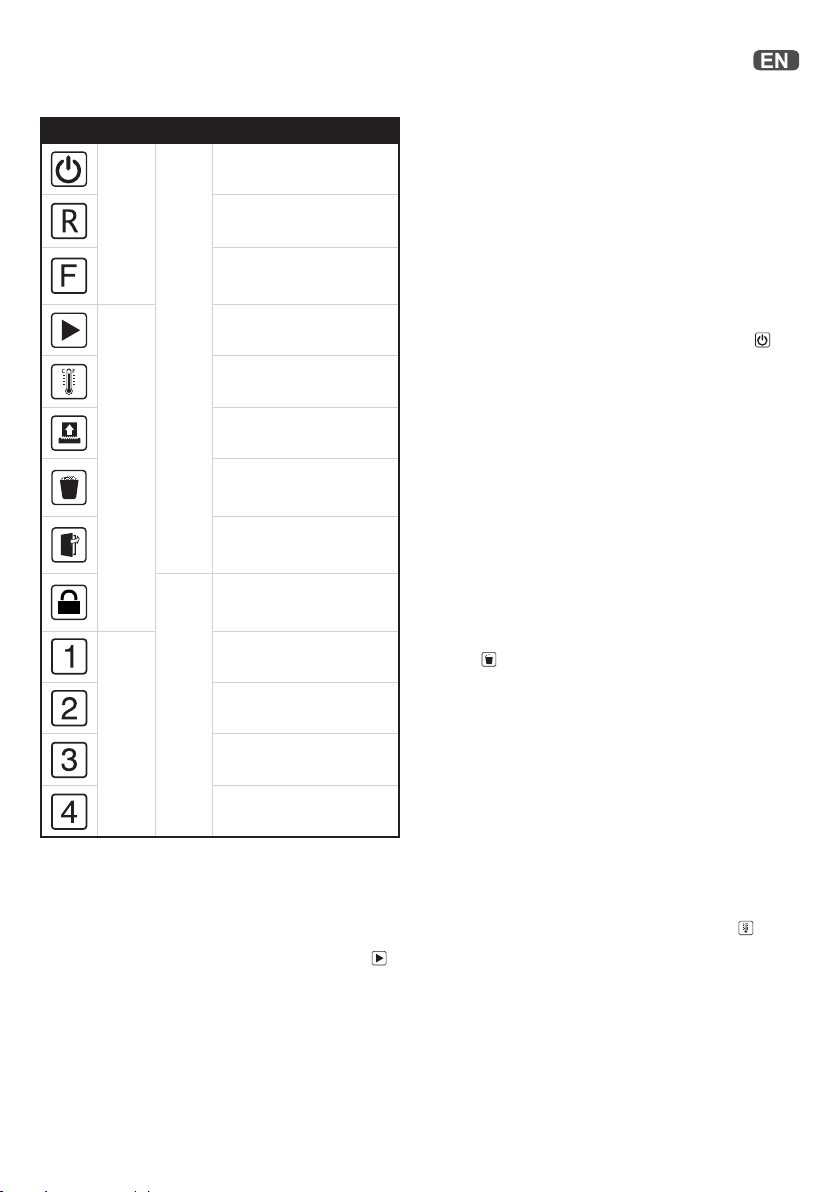
Icon Type Models Button / indication & action
Auto-start and stand-by button
(press one time)
Manual reverse button
(hold down)
Manual forward run button
(hold down)
Ready indication
Over heating indication
(Allow to cool)
Overloaded / Jam indication
(Reduce sheet / remove jam)
Bin full indication
(open door (45X lift o head)
and empty the bin)
Door open or shredder head
removed indication (close door
firmly or replace head on bin)
Hopper locked indication
(unlock by entering 4 digit
combination)
Hopper locking security
combination button 1
Hopper locking security
combination button 2
Hopper locking security
combination button 3
Hopper locking security
combination button 4
Operation
1. Unpack the product.
2. Connect the shredder to mains supply.
3. Ensure the ON/OFF button on the back of the machine is in the
ON position, which will illuminate the blue standby symbol
.
4. To load the shredder, simply lift the loading door handle to
open the loading door and insert documents. You can open the
door further to 90 degrees for easier access if required. Load
up to MAX sheets at a time into the feed chamber. Do not fill
above the MAX level, this could damage the shredder.
5. The shredder will start the shredding cycle automatically ONLY
after closing the loading door.
If there is still paper in the AutoFeed chamber after first
attempt, open and re-close the paper loading door a second
time.
Over heating
If the AutoFeed shredder is used continuously without pausing, it
may overheat and the cool down indicator will flash red
. Please
allow the shredder to cool down. When the shredder is ready
to be used the thermometer symbol will no longer illuminate. If
the shredder needs to cool down while shredding, no action is
needed. The shredder will automatically restart shredding paper
once it has cooled down after periods of continuous use. All you
need to do is ensure paper is loaded into the chamber and the bin
is empty when the machine is cooling down.
Locking the paper loading door
For additional security the paper loading door can be locked
during the shredding of confidential material.
To lock shredder:
1. Place documents in tray. Close paper loading door.
2. Press any 4 digits. REMEMBER YOUR CODE!
Shredder unlocks automatically when:
• 4 digit code is re-entered.
• Shredding is complete.
Shredder is inactive for 30 minutes (but documents remain in
tray)
Control ButtonsStatus Indicators
Hooper Locking
combination buttons
All Models300 sheets upwards
Attention: If required you can now lock the loading door by
entering a 4 digit code (see Locking the Paper Loading Door
section).
6. If you only have a few sheets to shred, you can use the manual
feed slot, provided the auto feed chamber is empty.
7. I nsert paper to be shredded into the feed area. The shredder
will detect the paper and start automatically.
8. I f the shredder is left in auto mode for more than 2 minutes
without being used, the shredder will automatically turn back
to sleep mode in order to save power.
9. The shredder will automatically ‘wake up’ from sleep mode
when paper is inserted into the shred mouth or you open the
loading door. There is no need to press the Auto button
.
Bin full
The shredder will not function when the bin is full and the bin full
symbol
is illuminated.
You should empty the bin.
Pull open the bin slowly to empty.
Push the empty bin back into place and press the auto button to
resume shredding.
In the 45X the shredder head will be lifted o when the bin is full
and this will stop the shredder. Remove the head, empty the bin
and place the head back on ensuring it is the correct way around
to continue.
The 600 or 750 sheet machines can be used with plastic bags
(2020175B)
Stiahnuť návod v slovenčine (PDF, 20.46 MB)
(Myslite ekologicky a návod si vytlačte, len ak je to naozaj potrebné)

Loading…

Hodnotenie

Dajte nám vedieť svoj názor na Rexel Optimum AutoFeed+ 45X Skartovací stroj a ohodnoťte výrobok. Chcete sa podeliť o svoje skúsenosti s týmto výrobkom alebo sa niečo spýtať? Napíšte komentár v spodnej časti stránky.
Ste spokojní s Rexel Optimum AutoFeed+ 45X Skartovací stroj?
Áno Žiadny
Ohodnoťte výrobok ako prvý
0 hlasy

Zapojte sa do diskusie o tomto výrobku

Tu sa môžete podeliť o to, čo si myslíte o Rexel Optimum AutoFeed+ 45X Skartovací stroj. Ak máte otázku, najprv si pozorne prečítajte návod. Vyžiadanie manuálu je možné vykonať pomocou nášho kontaktného formulára.

Viac o tomto návode

Chápeme, že je pekné mať k svojmu Rexel Optimum AutoFeed+ 45X Skartovací stroj papierovú príručku. Návod si môžete kedykoľvek stiahnuť z našej webovej stránky a vytlačiť si ho sami. Ak chcete mať originálnu príručku, odporúčame vám kontaktovať Rexel. Mohli by byť schopní poskytnúť originálny návod. Hľadáte príručku k svojmu Rexel Optimum AutoFeed+ 45X Skartovací stroj v inom jazyku? Vyberte si preferovaný jazyk na našej domovskej stránke a vyhľadajte číslo modelu, aby ste zistili, či ho máme k dispozícii.

Technické údaje

Značka Rexel
Model Optimum AutoFeed+ 45X
Kategória Skartovacie stroje
Typ súboru PDF
Veľkosť súboru 20.46 MB

Všetky príručky pre Rexel Skartovacie stroje
Ďalšie príručky od Skartovacie stroje

Často kladené otázky o Rexel Optimum AutoFeed+ 45X Skartovací stroj

Náš tím podpory vyhľadáva užitočné informácie o výrobkoch a odpovede na často kladené otázky. Ak nájdete v našich často kladených otázkach nejakú nezrovnalosť, dajte nám o tom vedieť pomocou nášho kontaktného formulára.

Prečo sa môj skartovač po určitej dobe zastaví? Overená

Drviče papiera musia po chvíli vychladnúť, aby sa zabránilo prehriatiu. Čas, ktorý môže zariadenie pracovať, kým nevychladne, sa líši u rôznych značiek a modelov.

Bolo to užitočné (915) Čítaj viac

Ako často mám drvič papiera naolejovať? Overená

Pri občasnom použití stačí naolejovanie papierového drviča raz za dva mesiace. Pri (veľmi) pravidelnom používaní si môžete všimnúť, že zariadenie má problémy s drvením alebo že sa papier ľahko uviazne. To sú príznaky, že by mal byť stroj naolejovaný.

Bolo to užitočné (576) Čítaj viac
Návod Rexel Optimum AutoFeed+ 45X Skartovací stroj

Súvisiace produkty

Súvisiace kategórie

×
Download