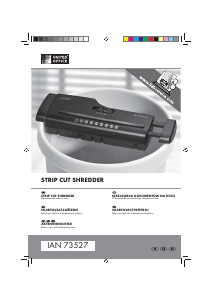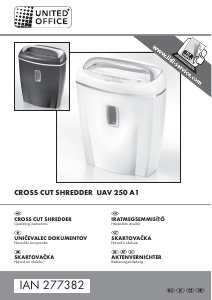
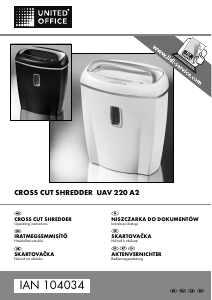
Návod United Office IAN 104034 Skartovací stroj

Potrebujete príručku pre svoj United Office IAN 104034 Skartovací stroj? Nižšie si môžete bezplatne prezrieť a stiahnuť príručku vo formáte PDF v slovenskom jazyku. Tento produkt má momentálne 2 často kladené otázky, 0 komentárov a má 0 hlasov. Ak toto nie je manuál, ktorý chcete, kontaktujte nás.

Je váš výrobok pokazený a nepodarilo sa vám problém odstrániť pomocou pokynov v návode? Prejdite na portál Repair Café, kde nájdete bezplatné servisné služby.

Návod

Loading…
- 4 -
Commissioning
Take note: As every paper shredder is tested
for functionality after manufacture, it could hap-
pen that paper remnants may be found in the
cutters.
Push the small waste container
w
onto the rails
inside the large waste container
r
.
Place the cutter attachment
q
onto the large
waste container
r
so that the mains cable sticks
out to the rear.
Insert the plug into a mains power socket.
Operation
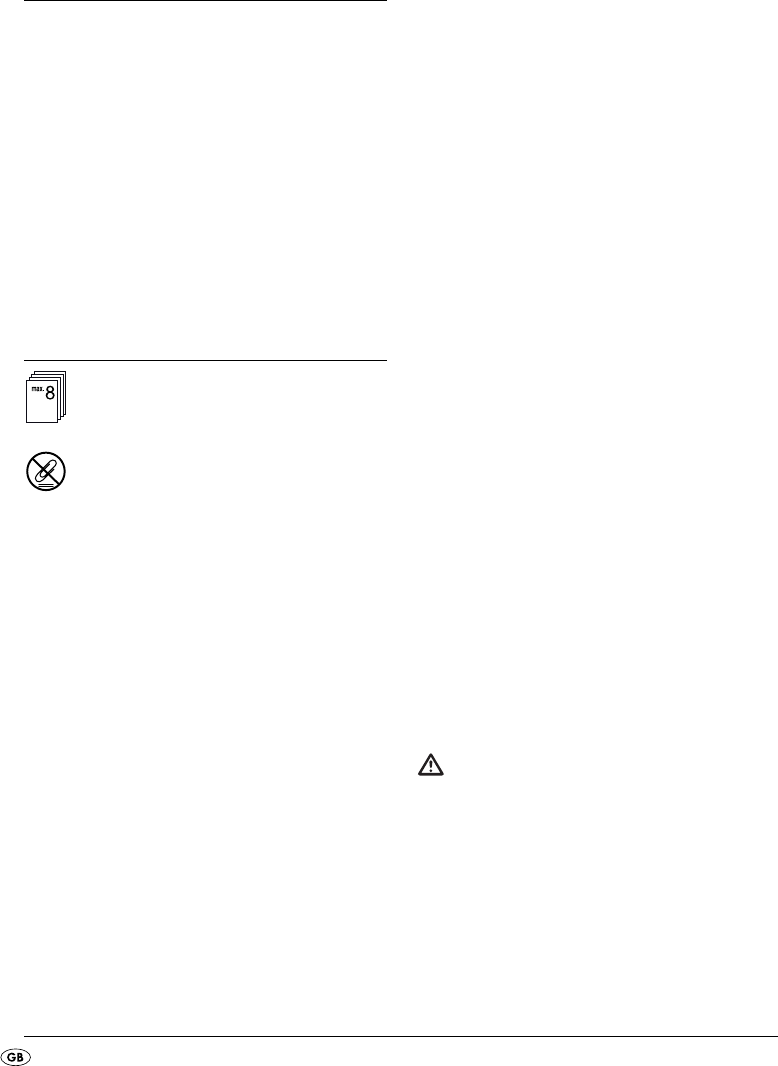
You can shred up to 8 sheets (80g/m
2
pa-
per) at the same time.
Caution:
Never feed paper into the cutter opening if it still
has paper clips larger than 25 mm attached.
These could damage the cutting blades.
Switching the appliance on:
Move the switch
u
to the position "AUTO" to
start shredding.
Inserting paper:
Insert paper from above and in portrait format
into the cutter opening for paper
y
.
The motor starts automatically and switches itself
off automatically if no further paper is inserted.
You can shred up to 8 sheets (80 g/m
2
paper) at
the same time.
Note: Regularly remove any residue left in the
cutting blades with a suitable tool, e.g. a pair
of tweezers. Ensure that the appliance is un-
plugged before doing this!
Inserting credit cards:
Insert the credit card from above into the middle
of the CD/credit card cutter opening
t
. You can
only shred one credit card at a time. ALWAYS insert
these into the CD/credit card cutter opening
t
with the wide side first. If you do not, the magnetic
strip will not be destroyed.
Note: Always insert the credit card into the
middle of the CD/credit card cutter opening
t
.
Otherwise, the shredding process will not start!
Note: If the shredding process does not start
when you insert the credit card, carefully push
the credit card further into the CD/credit card
cutter
t
opening with a flat object.
Note: If you want to ensure that the information
on the magnetic strip is irrevocably destroyed,
insert the credit card into the middle of the cutter
opening for paper
y
.
Note that the residue will then fall into the large
waste container
r
. if necessary, empty this be-
forehand in order to keep paper and plastic
waste separate.
Inserting a CD:
Warning!
NEVER insert your finger into the central hole of
a CD when you are feeding it into the appliance.
Insert the CD from above into the middle of the
CD/credit card cutter opening
t
. You can only
shred one CD at a time.
Stiahnuť návod v slovenčine (PDF, 0.36 MB)
(Myslite ekologicky a návod si vytlačte, len ak je to naozaj potrebné)

Loading…

Hodnotenie

Dajte nám vedieť svoj názor na United Office IAN 104034 Skartovací stroj a ohodnoťte výrobok. Chcete sa podeliť o svoje skúsenosti s týmto výrobkom alebo sa niečo spýtať? Napíšte komentár v spodnej časti stránky.
Ste spokojní s United Office IAN 104034 Skartovací stroj?
Áno Žiadny
Ohodnoťte výrobok ako prvý
0 hlasy

Zapojte sa do diskusie o tomto výrobku

Tu sa môžete podeliť o to, čo si myslíte o United Office IAN 104034 Skartovací stroj. Ak máte otázku, najprv si pozorne prečítajte návod. Vyžiadanie manuálu je možné vykonať pomocou nášho kontaktného formulára.

Viac o tomto návode

Chápeme, že je pekné mať k svojmu United Office IAN 104034 Skartovací stroj papierovú príručku. Návod si môžete kedykoľvek stiahnuť z našej webovej stránky a vytlačiť si ho sami. Ak chcete mať originálnu príručku, odporúčame vám kontaktovať United Office. Mohli by byť schopní poskytnúť originálny návod. Hľadáte príručku k svojmu United Office IAN 104034 Skartovací stroj v inom jazyku? Vyberte si preferovaný jazyk na našej domovskej stránke a vyhľadajte číslo modelu, aby ste zistili, či ho máme k dispozícii.

Technické údaje

Značka United Office
Model IAN 104034
Kategória Skartovacie stroje
Typ súboru PDF
Veľkosť súboru 0.36 MB

Všetky príručky pre United Office Skartovacie stroje
Ďalšie príručky od Skartovacie stroje

Často kladené otázky o United Office IAN 104034 Skartovací stroj

Náš tím podpory vyhľadáva užitočné informácie o výrobkoch a odpovede na často kladené otázky. Ak nájdete v našich často kladených otázkach nejakú nezrovnalosť, dajte nám o tom vedieť pomocou nášho kontaktného formulára.

Prečo sa môj skartovač po určitej dobe zastaví? Overená

Drviče papiera musia po chvíli vychladnúť, aby sa zabránilo prehriatiu. Čas, ktorý môže zariadenie pracovať, kým nevychladne, sa líši u rôznych značiek a modelov.

Bolo to užitočné (911) Čítaj viac

Ako často mám drvič papiera naolejovať? Overená

Pri občasnom použití stačí naolejovanie papierového drviča raz za dva mesiace. Pri (veľmi) pravidelnom používaní si môžete všimnúť, že zariadenie má problémy s drvením alebo že sa papier ľahko uviazne. To sú príznaky, že by mal byť stroj naolejovaný.

Bolo to užitočné (568) Čítaj viac
Návod United Office IAN 104034 Skartovací stroj

Súvisiace produkty

Súvisiace kategórie

×
Download